Introduction
Picture this: you are calling a private seller about a used car listing, and the last thing you want is a stranger saving your number before you trust them. So you type *67 before dialing. But does star 67 still work in 2026, or has the gap grown between a 1990s dial code and today's call analytics, spam filters, and VoIP networks? The short answer is yes — with important conditions attached. This guide explains how *67 actually functions at the network level, pinpoints every scenario where it breaks down, and shows what to use when per-call blocking is not enough.
- How *67 works at the carrier network level — not just on your device
- The honest 2026 status: yes it works, but with three growing limitations
- Four specific scenarios where *67 fails every single time
- Step-by-step instructions for iPhone and Android users
- Smarter alternatives including permanent blocks, second numbers, and VoIP
- Why businesses cannot rely on *67 and what to use instead
- Seven FAQ answers to the most searched *67 questions
What Is *67 and How Does It Actually Work?
*67 is a Vertical Service Code (VSC) — a short dial string that triggers a specific feature inside your carrier's switching system. When you place a call with *67 first, your carrier suppresses your Calling Line Identification (CLI) before routing the call onward.
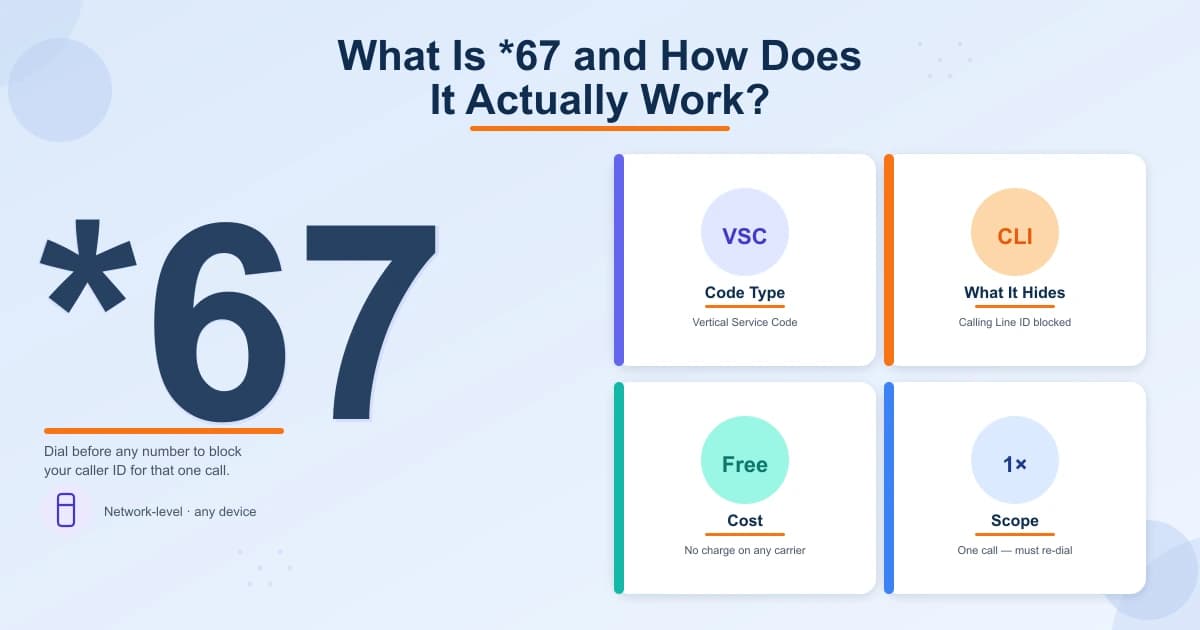
The result: the recipient sees "Private Number," "No Caller ID," or "Blocked" instead of your digits. This is not a phone setting — it is a network-level instruction that works on any device connected to a supported carrier: smartphone, landline, or VoIP handset.
The code dates to the 1990s, when the FCC required carriers to offer free per-call caller ID blocking. The mechanism has barely changed since.
- Blocks caller ID for **that one call only** — must be re-dialed every time
- Works on mobile, landline, and most VoIP phones
- Costs nothing extra on virtually every North American calling plan
- Processed by the carrier network — not by your phone's software
Does Star 67 Still Work in 2026? The Honest Answer
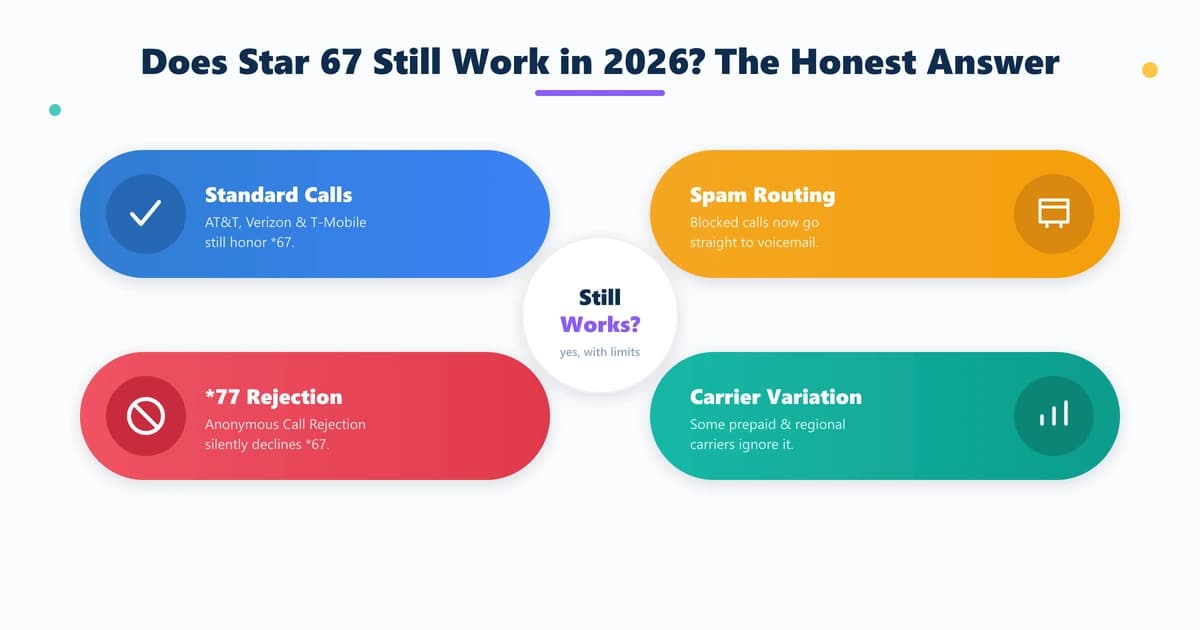
Yes. For a standard call from one mobile or residential phone to another, *67 still works in 2026. AT&T, Verizon, and T-Mobile continue to honor the *67 VSC. The recipient typically sees "No Caller ID" or "Private Number," exactly as designed.
But "working" is not the same as "reliable in every situation." Three developments have reduced *67's practical effectiveness over the past decade.
**Spam filter defaults.** Google Phone on Android and Apple's built-in spam detection now treat blocked-number calls with heightened suspicion. Many users have their phones configured — often by default — to send all "Unknown" calls directly to voicemail without ringing.
**Anonymous Call Rejection (ACR).** Most carriers allow recipients to activate ACR by dialing *77. Once enabled, any call arriving with caller ID suppressed is automatically declined before it ever rings.
**Carrier variation.** A small number of prepaid, regional, or international carriers do not fully honor *67, causing your number to display anyway.
- AT&T, Verizon, T-Mobile all honor *67 on standard calls
- Google Phone and iOS spam detection routes blocked calls to voicemail
- Anonymous Call Rejection (*77) silently declines all *67 calls
- Prepaid and regional carriers may not fully support the VSC
Four Times *67 Will Fail You (and Why)
Even when *67 is transmitted correctly, these four scenarios defeat it every time.
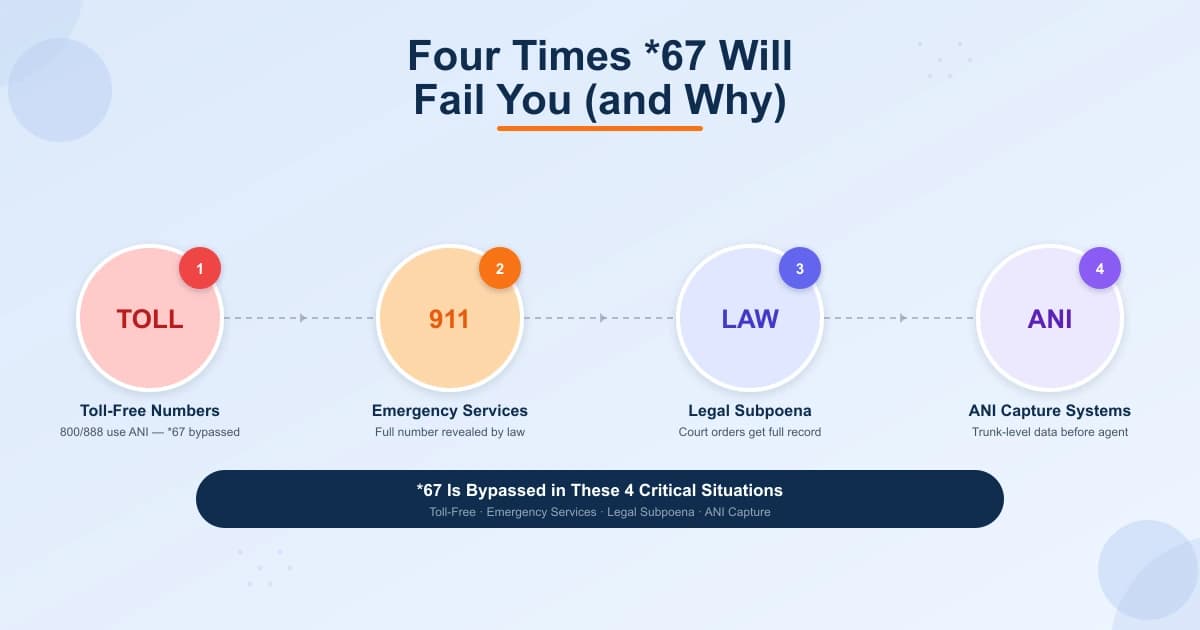
**Toll-free numbers (800, 888, 877, 866, 855, 844, 833).** Toll-free lines receive Automatic Number Identification (ANI) — a billing record at the carrier infrastructure layer that sits entirely outside the CLI system *67 affects. The FCC explicitly exempts ANI from per-call blocking. The business sees your full number regardless of *67.
**Emergency services (911).** *67 cannot block your number from 911 dispatch. This is intentional and legally mandated — emergency networks must receive full caller location so dispatchers can locate you if the call drops.
**Law enforcement with a legal subpoena.** Your carrier logs every call including your full originating number, whether you dialed *67 or not. A court order compels full disclosure.
**Business contact centers with ANI-capture systems.** Modern platforms record trunk-level call data before it reaches the agent's screen. ANI capture is legal and widely used for callback, fraud detection, and CRM purposes.
- **Toll-free (800/888/877)** — ANI bypasses CLI suppression by FCC exemption
- **911 / Emergency** — legally required to receive full caller identification
- **Law enforcement** — carrier records survive *67 and are subpoena-accessible
- **Contact centers** — trunk-level ANI capture logs your number before the agent sees the call
Step-by-Step: Using *67 on iPhone and Android
Using *67 requires no app, no settings change, and no carrier add-on. The steps are identical on every device.
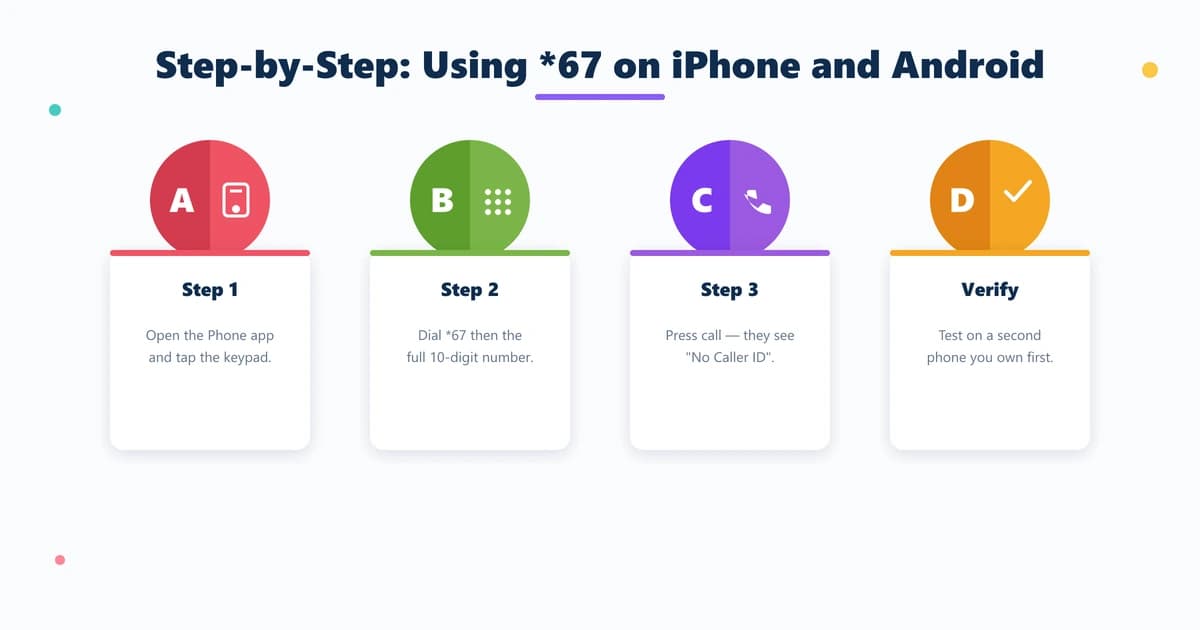
**On iPhone:** Open the Phone app and tap Keypad. Dial *67 immediately followed by the full 10-digit number — no spaces (example: *6715558675309). Tap the green call button. No confirmation tone plays; the call connects normally while the recipient sees "No Caller ID."
**On Android:** Open your Phone or Dialer app and go to the keypad. Type *67 directly followed by the complete 10-digit number (example: *6715558675309). Tap Call. Because *67 is processed by the network — not the phone's software — it works the same on Samsung, Pixel, OnePlus, or any Android handset.
**Verify it before you need it.** Call a second phone you own to confirm their screen shows "Private Number." This confirms your carrier honors the VSC. For a permanent block on every outgoing call, go to Settings → Phone → Show My Caller ID (iPhone) or Phone app → Settings → Calls → Caller ID (Android) and disable the display.
- **Step 1** — Open your Phone app and tap the keypad
- **Step 2** — Dial *67 immediately followed by the full 10-digit number
- **Step 3** — Press Call — recipient sees "Private Number" or "No Caller ID"
- **Verify** — test with a second device you own before relying on it
- **Permanent option** — disable Show My Caller ID in phone settings
Smarter Alternatives When *67 Is Not Enough
For anyone who needs privacy beyond an occasional call, *67's single-call scope creates real friction. These alternatives offer more control.
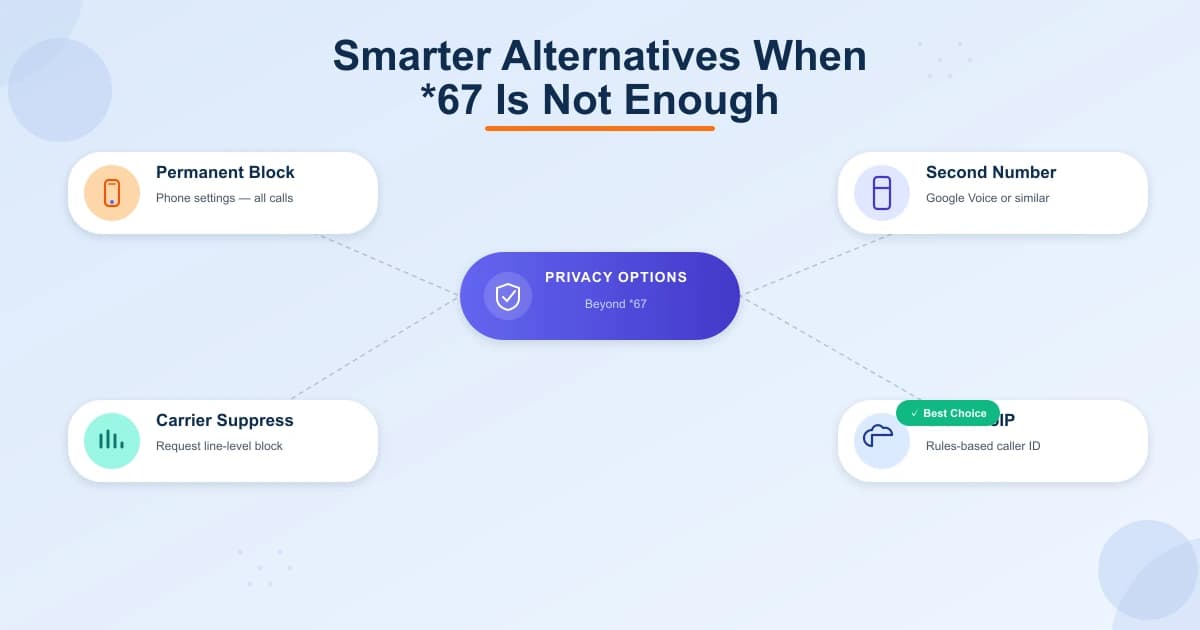
**Permanent phone-level block.** Both iOS and Android let you suppress outgoing caller ID in settings, applying the block to every call automatically.
**Second number apps.** Google Voice (free, U.S.) and similar apps give you a separate number for calls and texts. Your real number never appears — widely used for classifieds listings and freelance client work.
**Prepaid SIM or secondary device.** A separate prepaid SIM gives you a fully independent line with no connection to your primary identity.
**Carrier-level permanent suppression.** Call your carrier and request permanent outgoing caller ID block on the line. Most major U.S. carriers provide this free of charge.
**Cloud VoIP with configurable outbound caller ID.** Business-grade platforms allow rules-based control over which number appears on every call — by department, campaign, or agent.
- **Permanent phone block** — iOS/Android settings suppress ID on every outgoing call
- **Google Voice** — free second number for calls and texts in the US
- **Prepaid SIM** — fully independent line with no link to your primary identity
- **Carrier suppression** — request a permanent line-level block from your carrier
- **Cloud VoIP** — rules-based caller ID control across every call and agent
“*67 still functions as designed — but 'designed' assumed a world before spam scoring engines and carrier-sold call rejection services.”
Why Businesses Cannot Rely on *67 for Caller ID Control
For personal, occasional use, *67 is a reasonable tool. For teams making outbound calls at any volume, it fails immediately.
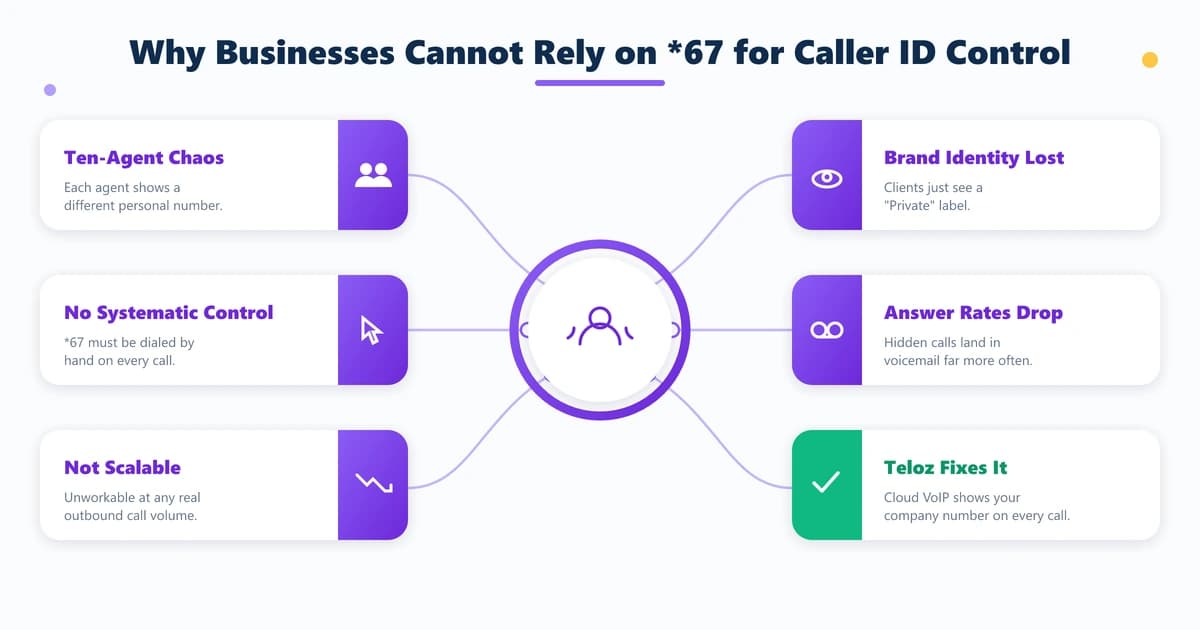
Consider a sales team with ten remote agents, each calling from a personal mobile line. Without a systematic solution, customers see ten different personal numbers or a "Private" label — neither builds trust. Relying on every agent to remember *67 before each call is an operational non-starter.
The real alternative is cloud-hosted VoIP with native caller ID management. Teloz builds outbound caller ID configuration directly into its contact center platform. Any outbound call — regardless of which agent places it or where they work — can present the company's main number, a local market line, or a specific department number. No manual *67. No personal number accidentally reaching a client. Discover how Teloz structures outbound caller ID for distributed teams.
- **10-agent problem** — each agent shows a different personal or private number
- **No systematic control** — *67 must be manually dialed on every single call
- **Brand identity lost** — clients see "Private" instead of your company number
- **Answer rate drops** — unknown and private calls go to voicemail far more often
- **Teloz solution** — cloud VoIP presents your company number on every outbound call
Conclusion
Does star 67 still work in 2026? For occasional privacy on standard calls, yes. But its gaps have grown: toll-free ANI bypasses it, ACR rejects it, spam filters route it to voicemail, and carrier logs preserve your number regardless. Understanding these limits lets you use *67 wisely. For businesses, the right tool is cloud VoIP with native outbound caller ID management — built at the network layer, not the keypad. Learn how Teloz delivers consistent caller ID control for outbound teams.